
Best Desk Lamps for Eye Strain in 2026 — Protect Your Eyes at Work
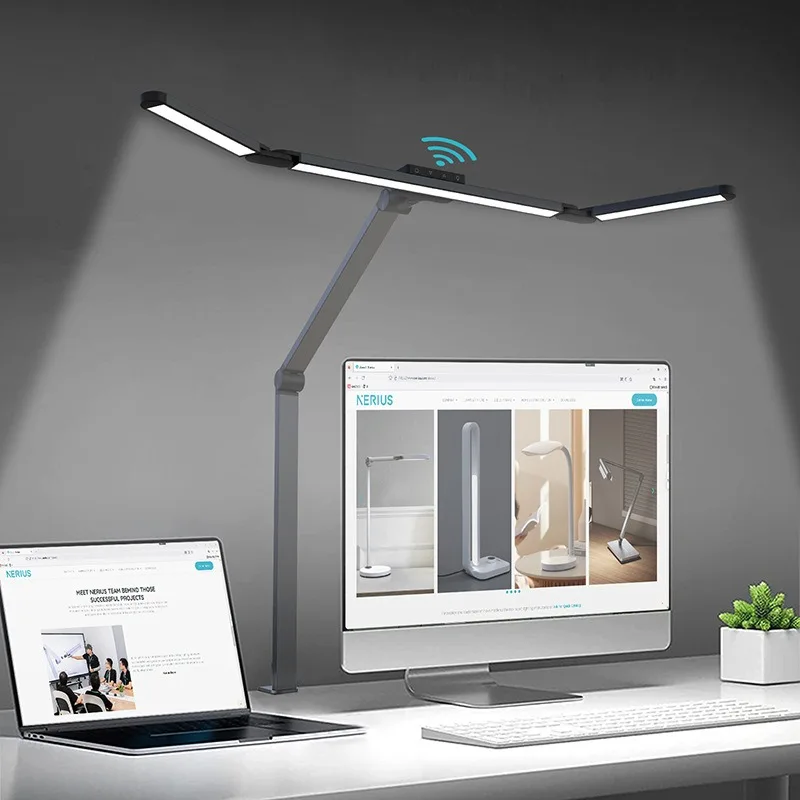
If your eyes feel tired, dry, or strained by mid-afternoon, your lighting is probably the problem. Most people blame their screen — and while screen settings matter, the bigger culprit is usually the ambient and task lighting around the screen. Poor lighting forces your eyes to constantly adjust between bright and dark areas, work harder to maintain focus, and compensate for glare and reflection. Over hours, that adds up to real fatigue.
The good news: fixing your lighting is one of the cheapest and fastest upgrades you can make to a home office. The right desk lamp for eye strain eliminates glare, provides consistent illumination, and lets your eyes relax into a comfortable working state that you can sustain for hours.
Why Lighting Causes Eye Strain
Your eyes are constantly making micro-adjustments to deal with contrast. When one part of your visual field is very bright (your screen) and another is dim (the room behind it), your pupils are constantly dilating and contracting to compensate. This is called contrast fatigue, and it’s the primary cause of the tired, heavy-eyed feeling most desk workers experience by late afternoon.
The solution isn’t to dim your screen — it’s to raise the ambient light level around your screen so the contrast between screen and background is reduced. A well-positioned desk lamp does exactly this, and a monitor light bar takes it one step further by illuminating your desk surface without adding any light to the screen itself.
What to Look for in a Desk Lamp for Eye Strain
Color temperature — Measured in Kelvin (K). Warm light (2700–3000K) is relaxing but can cause drowsiness during focused work. Cool daylight (5000–6500K) is energizing but harsh over long periods. The sweet spot for desk work is 4000–5000K — neutral white light that’s bright enough to keep you alert without being harsh on the eyes. The best lamps let you adjust color temperature throughout the day.
Brightness and dimming — A lamp that’s either too bright or too dim forces your eyes to compensate. Look for a lamp with a wide dimming range (ideally 1%–100%) so you can match the light level to the time of day and the task at hand.
Flicker-free technology — Cheap LED lamps flicker at a frequency invisible to the naked eye but detectable by your visual system. Over hours, this subliminal flicker causes significant eye fatigue. Look for lamps specifically rated as flicker-free or with a PWM frequency above 1000Hz.
CRI (Color Rendering Index) — A CRI of 90+ means the lamp renders colors accurately, which reduces the visual effort required to distinguish details on screen and on paper. Lower CRI lamps make everything look slightly off, which your eyes work harder to compensate for.
Glare control — The lamp should illuminate your desk surface, not your eyes or your screen. Adjustable arms, diffused shades, and anti-glare coatings all help direct light where it’s needed without creating new problems.
Top Picks for 2026
Best Overall — Monitor Light Bar
A monitor light bar is the most purpose-built solution for desk workers. It mounts directly on top of your monitor, illuminates your desk surface with a downward-facing beam, and uses an asymmetric optical design to ensure zero light hits the screen. The result is a perfectly lit desk with no glare, no screen reflection, and no additional footprint on your desk surface. For anyone working at a computer for more than 4 hours a day, this is the single best lighting upgrade available. Most models include touch or remote controls for brightness and color temperature adjustment.
Best Traditional Desk Lamp — LED Architect Lamp
For those who prefer a traditional desk lamp, an LED architect-style lamp with a long adjustable arm gives you precise control over light direction. Look for one with a diffused shade (not a bare bulb), a color temperature range of 2700–6500K, and a dimmer. The adjustable arm lets you position the light source to the side of your screen rather than behind or in front of it, which minimizes contrast fatigue.
Best for Video Calls — Ring Light with Desk Stand
If you’re on video calls regularly, a ring light with a desk stand solves two problems at once: it illuminates your face evenly for the camera and adds ambient light to the room that reduces screen-to-background contrast. Look for one with adjustable color temperature (warm to cool) and a phone or tablet mount if you use mobile devices for calls.
Best Smart Option — Smart Desk Lamp with App Control
Smart desk lamps that connect to your phone or home assistant let you schedule lighting changes throughout the day — warmer and dimmer in the morning, cooler and brighter during peak focus hours, warmer again in the evening. This circadian-rhythm-aligned lighting approach has been shown to improve focus, mood, and sleep quality. If you’re building a premium setup, a smart lamp is worth the investment.
Best Budget Pick — USB-Powered LED Desk Lamp
For a tight budget, a USB-powered LED desk lamp with at least 3 color temperature settings and a dimmer covers the basics. It won’t have the build quality or feature set of premium options, but it will still be a significant improvement over overhead lighting alone. Plug it into your monitor’s USB port or a USB hub to keep cables minimal.
Positioning Your Lamp Correctly
Even the best lamp causes eye strain if it’s positioned wrong. The light source should never be directly in your line of sight or reflected in your screen. For a traditional desk lamp, position it to the side of your monitor — left side if you’re right-handed, right side if you’re left-handed — angled downward toward your desk surface.
For a monitor light bar, simply mount it on top of your monitor and adjust the brightness until your desk surface is evenly lit without any visible reflection on the screen. Most people find 40–60% brightness is the right level for daytime work, dropping to 20–30% in the evening.
The Full Picture
Lighting is one of the most underrated elements of a home office setup. Most people spend hundreds on a chair or a monitor and then work under a single overhead bulb that undoes half the benefit. A good desk lamp or monitor light bar costs $30–$120 and delivers an immediate, noticeable improvement in how your eyes feel at the end of the day.
Pair it with a monitor arm to get your screen at the right height, a desk pad to create a clean working surface, and proper seating support — and you have a setup that’s genuinely built for long-term comfort and performance.
For the complete guide to building a home office that works for your body and your productivity, visit our ultimate home office setup guide.