
The Ultimate Home Office Setup Guide 2026 — Everything You Need to Work Better From Home
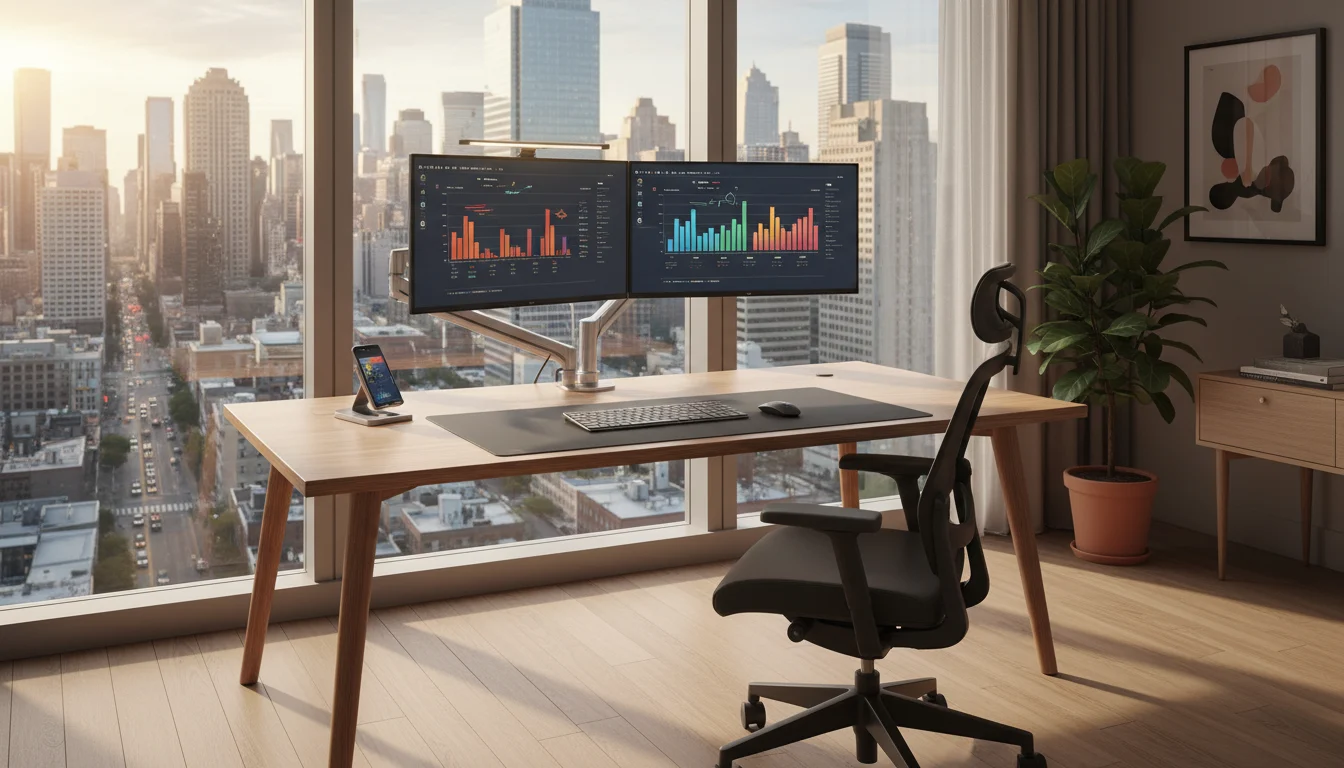
Building the right home office setup guide 2026 is no longer optional for serious remote workers. It is the difference between a workday that drains you and one that energises you. Between output that is average and work that reflects your actual capability. The environment you work in shapes the quality of the work you produce — and the data backs this up consistently. Stanford research shows remote workers with dedicated, well-equipped home offices outperform those in makeshift setups by a measurable margin. McKinsey reports that 87 percent of remote workers who invested in their workspace report equal or higher productivity than their office-based counterparts.
The good news is that building a genuinely excellent home office has never been more accessible. You do not need a large budget or a dedicated room. You need the right knowledge, the right products, and a clear plan. This guide covers everything — from the foundation pieces that every setup needs to the finishing touches that separate a functional workspace from an exceptional one.
Start With the Right Desk
Your desk is the foundation of everything. Get this wrong and no amount of accessories will fix it. The right desk for a home office is large enough to accommodate your monitor setup, your keyboard, your peripherals, and still leave clear working space in front of you. As a minimum, aim for 120cm wide and 60cm deep. If you are running a dual monitor setup, 150cm or wider is strongly recommended.
Height is equally important. Your desk should allow your arms to rest at a 90-degree angle when your hands are on the keyboard, with your shoulders completely relaxed. Fixed-height desks work perfectly well for most people when paired with an adjustable chair. If your budget allows, a sit-stand desk adds the ability to alternate between sitting and standing throughout the day, which research consistently links to better energy levels, reduced back pain, and improved focus over long sessions.
The desk surface matters too. A clean, uncluttered surface is not just aesthetically pleasing — it reduces cognitive load and helps your brain stay in work mode. A quality desk pad covers the full working area, protects the surface, and gives your setup a cohesive, intentional look that makes a real difference to how the space feels.
The Ergonomic Chair — Your Most Important Investment
If there is one area where you should never compromise, it is your chair. You will spend more time in your ergonomic chair for home office use than in any other piece of furniture you own. The wrong chair leads to lower back pain, poor posture, reduced circulation, and the kind of chronic fatigue that compounds over weeks and months into a serious problem.
The features that genuinely matter are adjustable lumbar support that fits the natural curve of your lower spine, seat depth adjustment so the front edge never cuts into the back of your thighs, and 4D armrests that let you position your arms so your shoulders stay completely relaxed. A breathable mesh backrest keeps you cool during long sessions, and a high back with headrest support is worth the upgrade if you tend to lean back when thinking or on calls.
The sweet spot for a genuinely good ergonomic chair sits between $150 and $400. In that range you get full adjustability, quality materials, and a chair that will serve you for years. Prioritise the chair above almost everything else in your setup. You can upgrade your monitor arm or desk accessories later. Your spine does not get a later. Read our full guide on how to choose the perfect ergonomic chair for your home office for a complete breakdown of every feature worth considering.
Monitor Setup — Single Screen or Dual?
Your monitor setup has a more significant impact on your daily productivity than almost any other element of your workspace. Research consistently shows that a dual monitor setup for home office use increases productivity by up to 42 percent compared to a single screen. When you can have your reference material on one screen and your active work on the other, the constant switching and minimising disappears entirely.
For most home office workers, two matching 27-inch monitors at 1440p resolution is the sweet spot. They offer enough screen real estate without overwhelming a standard desk, and the image quality is sharp enough for both productivity and creative work. If you are working from a laptop, adding even a single external monitor makes an immediate and significant difference.
A monitor arm is non-negotiable regardless of whether you run one screen or two. It lifts your monitors off the desk surface, reclaims valuable workspace underneath, and allows you to position each screen at the exact height, angle, and distance your eyes need. The ergonomic benefit alone justifies the cost — but the visual transformation it brings to your desk is equally compelling. Browse our full range of monitor arms at Kuykoo and read our complete dual monitor setup guide for step-by-step positioning advice.
Desk Lighting — The Overlooked Productivity Tool
Most home office workers spend significant time thinking about their desk and chair and almost no time thinking about their lighting. This is a mistake that costs them more than they realise. Poor lighting — too dim, too harsh, or creating glare on your screen — forces your eyes to work significantly harder to compensate. Over time this leads to digital eye strain, headaches, and the kind of low-grade fatigue that is easy to mistake for lack of motivation.
The solution is a layered approach. Natural light from a window positioned to the side of your desk — never directly behind or in front of your monitor — provides the best base. A quality adjustable desk lamp with variable colour temperature handles cloudy days and evening sessions. And a monitor light bar mounted on top of your screen is the single most impactful desk lighting upgrade available. It casts light directly onto your desk surface without throwing a single ray of glare onto your screen — something a traditional desk lamp simply cannot achieve.
Look for a monitor light bar with adjustable brightness, adjustable colour temperature from warm to cool, and a wireless controller for easy adjustment without interrupting your workflow. The difference in eye comfort during long sessions is immediately noticeable. Read our complete guide on how desk lighting transforms your focus and productivity for everything you need to know about building the perfect lighting setup.
Cable Management — Clean Desk, Clear Mind
There is a direct relationship between a cluttered desk and a cluttered mind. Visual disorder increases cortisol levels and reduces the brain’s ability to focus — this is not opinion, it is established environmental psychology research. And nothing creates visual clutter faster than unmanaged cables.
Good cable management for home office setups is one of the fastest and most satisfying upgrades you can make. A cable management box hides your power strip and adapters completely. Velcro cable ties bundle cables that run together into neat groups. Adhesive cable clips route individual cables along the underside of your desk and out of sight. A monitor arm with internal cable routing channels hides your monitor cables inside the arm itself.
Spend one afternoon sorting your cables properly and your desk looks like a completely different workspace. The visual impact is dramatic and the effect on your focus and motivation is real. Read our complete cable management guide for home office setups for a step-by-step approach that works for any desk configuration.
The Desk Accessories That Complete the Setup
Once your foundation pieces are in place — desk, chair, monitors, lighting, cables — a carefully chosen set of desk accessories elevates your setup from functional to exceptional. These are the details that make your workspace feel intentional and personal rather than assembled from whatever was available.
A large desk pad is the single most impactful finishing touch. It defines your workspace visually, protects your desk surface, and gives your keyboard and mouse a consistent, premium feel. Choose one that covers the full width of your active working area for the best effect.
A monitor light bar doubles as both a lighting solution and a visual anchor for your setup. A quality ergonomic mouse and keyboard combination reduces wrist strain during long sessions and completes the ergonomic picture that your chair and monitor positioning started. A USB hub or docking station consolidates all your connections in one place and eliminates the cable chaos that comes from plugging and unplugging devices directly into your laptop throughout the day.
These are not luxury additions — they are the finishing layer of a workspace that has been built with intention. Browse the full range of desk accessories at Kuykoo and find everything you need to complete your setup in one place.
The Working From Home Reality in 2026
The context for all of this matters. Remote work is no longer a temporary arrangement or a niche preference — it is the new standard for a significant and growing portion of the global workforce. Over 35 percent of knowledge workers globally now work fully remotely, with an additional 28 percent in hybrid arrangements. The freelance economy has grown to over 64 million workers in the US alone, contributing $1.27 trillion to the economy annually.
The professionals who thrive in this environment share a common characteristic — they treat their home office as a serious professional investment rather than a makeshift alternative to a real office. The workspace gap between high-performing remote workers and struggling ones is real, measurable, and almost entirely fixable. Read our full breakdown of working from home statistics 2026 for the complete data picture.
Build Your Home Office Setup With Kuykoo
At Kuykoo we have built our entire product range around one purpose — giving remote workers, freelancers, and home office professionals access to the equipment they need to do their best work, at prices that make quality accessible to everyone.
Every product in our store has been selected against strict criteria — build quality, ergonomic value, customer reviews, and real-world performance. We stock ergonomic chairs, monitor arms, monitor light bars, desk pads, cable management solutions, and the full range of desk accessories that complete a professional home office setup. Every order ships free worldwide, with a 30-day return policy on everything we sell.
Your home office is not a background detail. It is the environment where your career happens, where your business grows, and where your best work gets done. Build it properly, build it once, and feel the difference every single day.
Your workspace. Your rules. Your best work.