
Minimalist Home Office Desk Setup — Clean, Focused & Productive
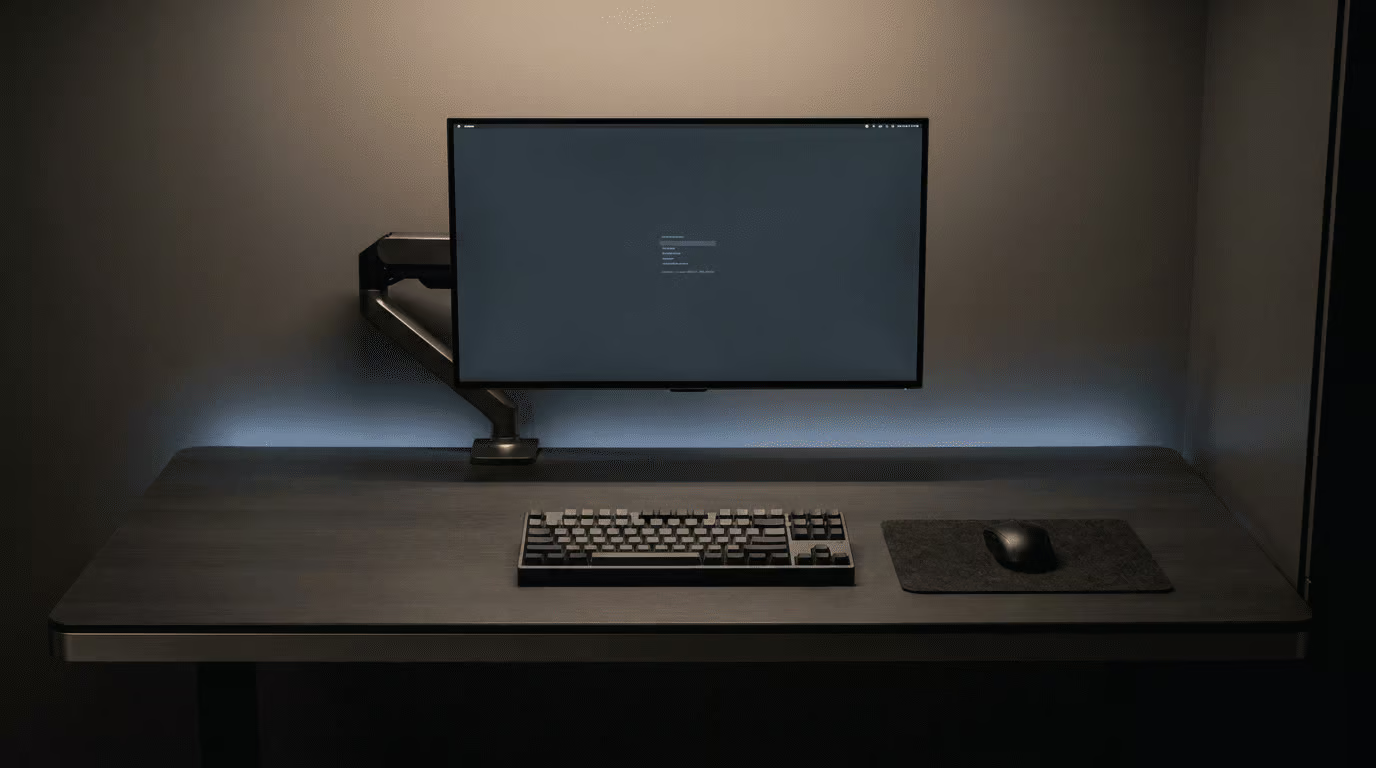
There’s a reason the most productive people in the world obsess over their workspace. A cluttered desk isn’t just an aesthetic problem — it’s a cognitive one. Every cable, every random object, every pile of paper in your peripheral vision competes for your attention. Your brain processes all of it, even when you think you’re ignoring it. The result is a low-level mental drain that compounds over hours and leaves you exhausted by mid-afternoon without knowing why.
A minimalist home office desk setup solves this at the root. Not by buying more things, but by being intentional about the few things that stay on your desk — and making sure each one earns its place.
The Minimalist Mindset for a Desk Setup
Minimalism in a workspace isn’t about having an empty desk. It’s about having only what you need, positioned exactly where it needs to be, with nothing else competing for space or attention.
The practical goal is simple: when you sit down to work, your eyes should land on your screen — not on a tangle of cables, a stack of papers, or a collection of objects you haven’t touched in weeks. Everything on your desk should either be in active use or actively supporting your work. If it doesn’t meet that bar, it doesn’t belong on the surface.
This mindset shift is what separates a desk that looks minimalist in photos from one that actually functions minimally day to day.
The Core Elements of a Clean Desk Setup
- One Primary Screen at Eye Level
Everything starts with your monitor position. A screen that’s too low forces you to hunch. Too high and you strain your neck upward. Eye level — with the top third of the screen at or just below your natural line of sight — is the ergonomic standard.
A dual monitor arm is the single best investment for a minimalist setup because it removes the monitor stand entirely, freeing up the full depth of your desk surface. You gain 6–8 inches of usable desk space instantly, and the monitor floats exactly where you need it. For a single-screen setup, a single monitor arm achieves the same result.
- A Quality Desk Surface or Desk Pad
The desk surface sets the visual tone for everything else. A clean, uncluttered surface — ideally with a large XXL desk pad covering the working area — creates a unified, intentional look while protecting the desk and providing a smooth surface for your mouse and keyboard.
A desk pad also acts as a visual boundary. Everything inside the pad is your active workspace. Everything outside it is storage or decoration. It’s a simple psychological trick that keeps creep from happening — the gradual accumulation of objects that slowly colonizes your desk over weeks.
- Zero Visible Cables
Cables are the enemy of a minimalist setup. A single visible cable running across your desk is enough to make the whole thing look chaotic. The solution is a combination of approaches: a cable management tray mounted under the desk to route power strips and adapters out of sight, adhesive cable clips along the back edge of the desk to keep individual cables flat and hidden, and a cable spine or sleeve for any cables that must run vertically.
The goal is simple: if you can see a cable from your seated working position, it needs to be managed.
- Minimal Surface Objects
On a truly minimalist desk, the surface holds: your monitor (or laptop on a stand), a keyboard, a mouse, and one or two intentional objects — a small plant, a notebook, a lamp. That’s it. Everything else lives in a drawer, a shelf, or off the desk entirely.
If you use a laptop, a laptop stand raises it to eye level and frees your hands for an external keyboard and mouse — which are more ergonomic anyway and keep the setup cleaner.
- Lighting That Works With the Setup
Overhead lighting creates glare on screens and harsh shadows. A monitor light bar mounted on top of your monitor solves both problems — it illuminates your desk surface without casting light on the screen, reduces eye strain during long sessions, and adds zero footprint to your desk. It’s the lighting solution designed specifically for minimalist setups.
The Setup Process — Step by Step
Start by clearing everything off your desk. Everything. Then add back only what you actively use every single day. This forces you to make a conscious decision about each object rather than letting inertia keep things in place.
Next, route all cables. Use a tray under the desk for the bulk of the cable management, clips along the back edge for individual runs, and a velcro tie or cable sleeve for anything that needs to travel vertically. Take 30 minutes to do this properly — it’s the step most people skip and the one that makes the biggest visual difference.
Then set your monitor height using a monitor arm or stand. Adjust your chair height so your elbows are at desk level when your arms are relaxed. Check that your feet are flat on the floor. Add a seat cushion if needed to fine-tune the height.
Finally, add your desk pad and position your keyboard and mouse within comfortable reach. Step back and look at the setup from your doorway. If your eye goes straight to the screen, you’ve done it right.
Why It Makes You More Productive
The research on this is consistent: visual clutter increases cortisol levels and reduces the brain’s ability to focus. A clean workspace reduces cognitive load, which means more mental energy available for actual work. People with organized workspaces report higher focus, better mood, and less end-of-day fatigue than those working in cluttered environments.
The minimalist desk setup isn’t an aesthetic choice. It’s a performance choice.
For a complete breakdown of every element that goes into a high-performance home office — from seating to lighting to audio — our ultimate home office setup guide covers it all in one place.