
How the Right Desk Lighting for Home Office Can Transform Your Focus and Productivity
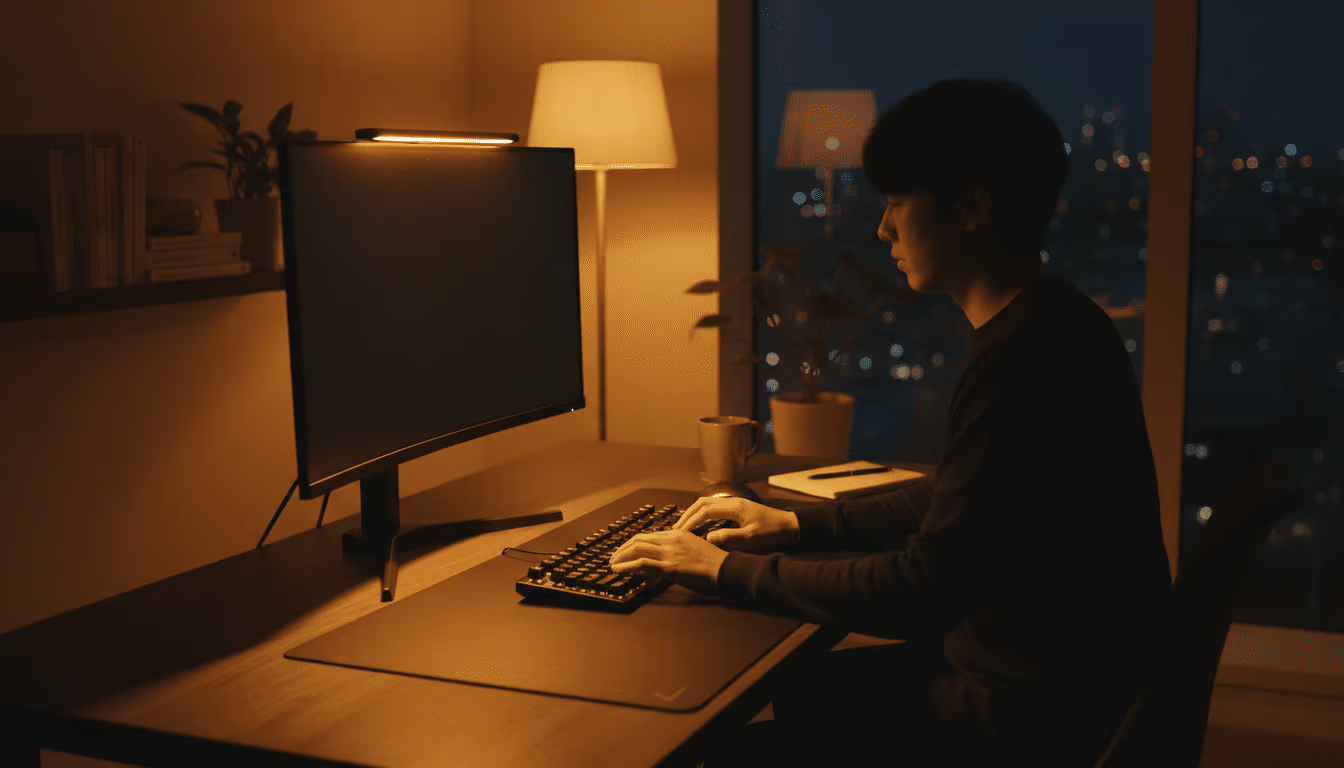
Most people spend a lot of time thinking about their desk, their chair, and their monitor setup. Very few spend any time thinking about their lighting — and that is a mistake that costs them more than they realise. The right desk lighting for home office use is not just about being able to see what you are doing. It directly affects your energy levels, your mood, your eye health, and ultimately how much quality work you produce throughout the day.
The good news is that fixing your lighting is one of the easiest and most affordable upgrades you can make to your workspace. This guide will walk you through everything you need to know.
Why Desk Lighting Matters More Than You Think
Your eyes are constantly working when you sit at a screen. They adjust to brightness, manage contrast, and process visual information for hours on end. When the lighting in your workspace is poor — too dim, too harsh, or creating glare on your screen — your eyes have to work significantly harder to compensate.
Over time, this leads to digital eye strain, which affects an estimated 65 percent of regular computer users. Symptoms include dry eyes, blurred vision, headaches, and neck pain. The irony is that most people blame their screen when the real culprit is the lighting around it.
Beyond eye health, lighting has a direct impact on your brain. Research in environmental psychology consistently shows that lighting conditions affect alertness, concentration, and even creativity. Getting your desk lighting right is not a luxury — it is a productivity tool.
The Problem With Most Home Office Lighting
The average home office lighting setup falls into one of three traps:
Overhead lighting only — ceiling lights cast light from above and behind you, creating shadows on your desk and glare on your screen. They illuminate the room but not your workspace specifically.
No task lighting — relying entirely on ambient room light means your desk is never properly lit for focused work, especially in the evenings or in rooms with small windows.
Wrong colour temperature — using warm, cosy lighting designed for relaxation in a space where you need to focus and stay alert is a common mistake that drains your energy without you realising it.
The solution is a layered lighting approach that combines natural light, ambient light, and dedicated task lighting — all at the right colour temperature for the time of day.
Understanding Colour Temperature
Colour temperature is measured in Kelvin (K) and describes how warm or cool a light source appears. For your home office, this matters enormously:
- 2700K–3000K — warm white, similar to incandescent bulbs. Relaxing and cosy. Good for evenings but not ideal for focused daytime work.
- 4000K–4500K — neutral white. The sweet spot for most home office work. Bright enough to stay alert without feeling clinical.
- 5000K–6500K — cool daylight. Maximises alertness and focus. Great for morning work sessions but can feel harsh over long periods.
The ideal approach is to use a desk lamp with adjustable colour temperature so you can shift from cool and energising in the morning to neutral and comfortable in the afternoon, and warm and easy on the eyes in the evening.
Natural Light — Your Best Friend and Worst Enemy
Natural light is the gold standard for home office lighting. It is full spectrum, it supports your circadian rhythm, and it makes your workspace feel open and energising. If you have the option to position your desk near a window, take it.
However, natural light comes with one significant challenge — glare. Direct sunlight hitting your monitor creates intense glare that makes your screen almost impossible to read and causes serious eye strain. The solution is simple:
- Position your desk perpendicular to the window rather than facing it or having it directly behind you
- Use sheer curtains or blinds to diffuse direct sunlight without blocking the light entirely
- Supplement with a desk lamp on cloudy days or during evening hours
The Monitor Light Bar — A Game Changer for Desk Lighting
If there is one desk lighting upgrade that delivers the most impact for the least effort, it is a monitor light bar. This slim LED bar mounts directly on top of your monitor and casts light downward onto your desk surface — illuminating your keyboard, notepad, and workspace without throwing a single ray of glare onto your screen.
This is something a traditional desk lamp simply cannot do. A lamp positioned to the side or above will always create some degree of screen reflection. A monitor light bar is specifically engineered to eliminate that problem entirely.
The best models include:
- Adjustable brightness — from a soft glow to full task lighting intensity
- Adjustable colour temperature — warm to cool at the touch of a button
- Wireless puck controller — adjust settings without touching the bar itself
- Auto-dimming sensor — automatically adjusts to the ambient light in your room
Once you use a monitor light bar, you will never go back to a standard desk lamp for screen-based work.
Building Your Ideal Home Office Lighting Setup
Here is a practical layered lighting setup that works for most home offices:
Layer 1 — Natural light
Position your desk near a window, perpendicular to it. Let natural light fill the room during the day.
Layer 2 — Ambient lighting
Use a ceiling light or floor lamp to provide general room illumination. Avoid harsh overhead fluorescents — opt for warm to neutral LED bulbs.
Layer 3 — Task lighting
Add a monitor light bar for screen work and a desk lamp for reading, writing, or any task away from the screen. Choose a lamp with adjustable brightness and colour temperature.
Common Desk Lighting Mistakes to Avoid
Here are the most common lighting mistakes that home office workers make — and how to fix them:
- Screen brighter than the room — always match your screen brightness to the ambient light level around it
- Lamp positioned behind the monitor — this creates direct glare on the screen. Position lamps to the side or use a monitor light bar
- Single colour temperature all day — use cooler light in the morning and warmer light in the evening to support your natural energy rhythm
- Ignoring the wall behind your monitor — a dark wall behind a bright screen creates high contrast that strains your eyes. Add a bias light behind your monitor to reduce this effect
- Overlooking lamp height — your desk lamp should be tall enough to cast light across your full work surface without the bulb being visible in your line of sight
Quick Desk Lighting Checklist
Before you consider your lighting setup complete, check these off:
✅ Desk positioned perpendicular to window
✅ Monitor brightness matched to room brightness
✅ Monitor light bar installed
✅ Desk lamp with adjustable colour temperature
✅ No direct glare on screen from any light source
✅ Ambient room lighting at comfortable level
✅ Bias light behind monitor if possible
Desk lighting for home office productivity is one of those things that works quietly in the background — you do not notice great lighting, but you absolutely feel the difference it makes. Less eye strain, more energy, better focus, and a workspace that feels genuinely pleasant to spend time in.
The investment is small. The impact is significant. Start with a monitor light bar and a quality adjustable desk lamp, get your natural light positioning right, and you will feel the difference from day one.
At Kuykoo, we stock premium desk lighting solutions including monitor light bars, adjustable LED desk lamps, and everything else you need to build the perfect home office lighting setup. Free worldwide shipping on every order.
Light up your workspace. Light up your productivity.